


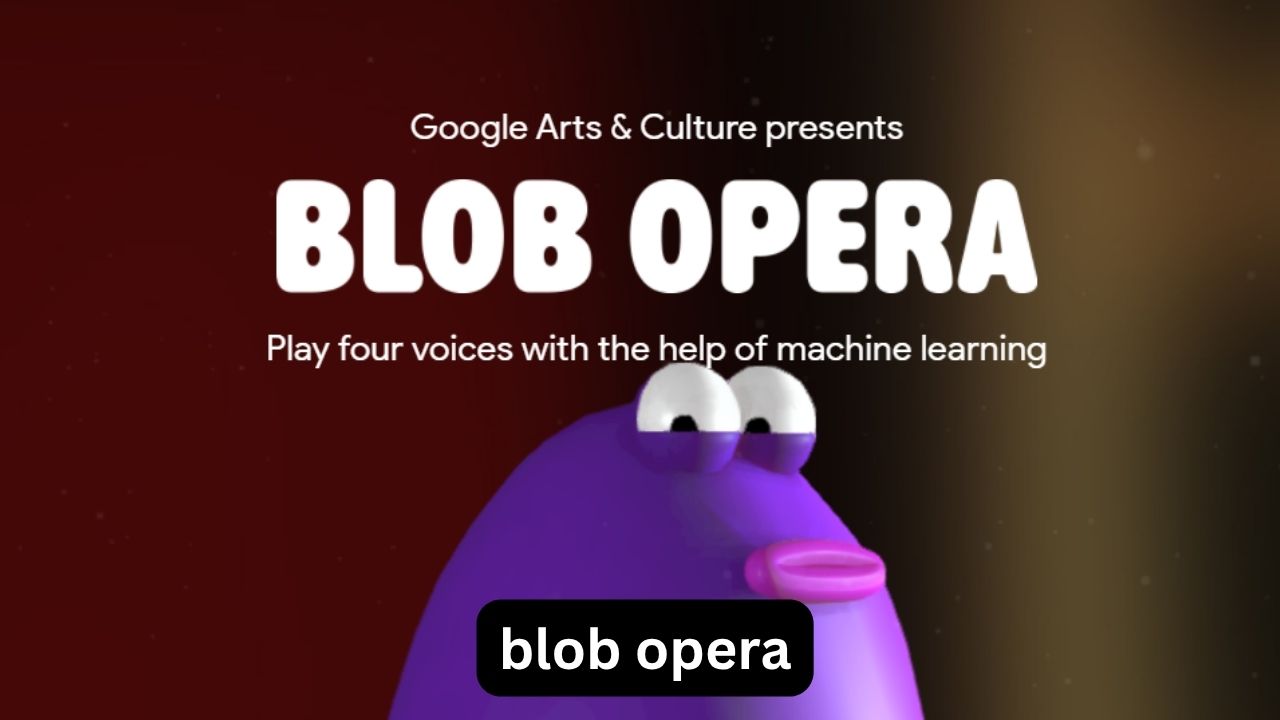
If you search for Blob Opera, you might expect a normal browser game with levels, points, or something you eventually “beat.” It is actually much more interesting than that. Blob Opera is an interactive music experiment created by artist David Li in collaboration with Google Arts & Culture, using machine learning to let anyone create opera-style music without knowing how to sing.
The appeal is simple: you control four colorful singing blobs, changing their pitch and vowel sounds with your mouse or touch controls. The clever part is that the other voices respond and harmonize automatically, so even random movements can produce surprisingly musical results.
This guide explains what Blob Opera actually is, how the controls work, why the Google version is different from ordinary music games, how Blob Opera on CrazyGames fits into the picture, and several techniques that make your creations sound much better. It also covers common mistakes that make the experience less enjoyable and a few details about the underlying technology that are easy to miss.
What Is Blob Opera?
Blob Opera is best understood as a musical playground rather than a conventional game.
It was released in December 2020 as a machine-learning experiment by David Li and Google Arts & Culture. Instead of asking players to perform opera themselves, the experiment turns the human voice into an interactive instrument.
You control four vocal parts:
- Bass — the deepest voice
- Tenor — a higher male vocal range
- Mezzo-soprano — a middle-to-high female range
- Soprano — the highest voice
The important thing is that you don’t need musical training. There are no traditional notes to read, no complicated keyboard layout, and no requirement to sing into a microphone.
Move a blob up or down and you change its pitch. Move it forward or backward horizontally and you change the vowel sound. The other blobs use machine learning to react and harmonize with your input.
That automatic harmony is what makes Blob Opera unusually forgiving for beginners.
How Does the Blob Opera Game Work?
The easiest way to understand the controls is to separate them into two dimensions.
Moving Up and Down Changes Pitch
Vertical movement controls how high or low the blob sings.
For example:
- Select the bass blob.
- Move it upward gradually.
- Listen as its note rises.
- Move it downward to bring the note back toward the lower register.
You don’t have to know the exact musical note you’re producing. Your ears are enough.
This makes experimentation much easier than using a traditional piano interface.
Moving Sideways Changes Vowels
Horizontal movement changes the vowel character of the voice.
Instead of simply making the same note louder or quieter, you can move through different vowel sounds and hear the character of the vocal line change.
This is one of the easiest details to overlook. Beginners often concentrate entirely on pitch, but vowel movement is what can make a Blob Opera performance sound playful, dramatic, strange, or surprisingly expressive.
The Other Blobs Are Doing More Than Following You
Here’s an important distinction: the blobs aren’t simply four independent sound effects.
Google says the experiment uses one machine-learning model trained to reproduce the characteristics of opera singing and another model that allows the blobs to harmonize with the player’s input in real time.
That means your job isn’t really to compose every individual vocal line manually.
You’re more like the conductor of a small virtual ensemble.
Why Blob Opera Doesn’t Require Musical Skill
A common problem with music-making games is that experimentation quickly turns into frustration. Press the wrong keys and you get unpleasant sounds.
Blob Opera takes almost the opposite approach.
The system is designed to help your input sound musically coherent. That means a complete beginner can move the characters around randomly and still hear something resembling a vocal ensemble.
This creates an interesting learning loop:
Experiment → listen → adjust → experiment again.
You gradually develop an ear for what sounds good without having to study music theory first.
For children, casual players, curious adults, and people who simply want five minutes of unusual entertainment, that accessibility is a major part of the experience.
The Real Technology Behind the Funny Blobs
The cartoon appearance can make Blob Opera look like a simple children’s toy, but the technology underneath it is considerably more sophisticated.
Four professional opera singers contributed recordings for the project:
- Christian Joel — tenor
- Frederick Tong — bass
- Joanna Gamble — mezzo-soprano
- Olivia Doutney — soprano
Together, they recorded around 16 hours of singing for the machine-learning system.
One particularly interesting detail is that you aren’t simply hearing recordings of those singers being triggered like audio samples.
The machine-learning model learned characteristics of the singing from the recordings and uses that learned information to generate the interactive vocal behavior. Google describes the experiment as an exploration of the voice as a musical instrument.
A Less Obvious Insight: The Blobs Are Teaching You Harmony
You don’t need to understand chords to notice harmony in Blob Opera.
When you move one voice, the system’s response from the other voices gives you an intuitive demonstration of how a lead vocal line can sit above supporting parts.
In other words, the game can accidentally become a tiny interactive introduction to harmony.
You hear the relationship first and can learn the terminology later.
Blob Opera on Google vs. Blob Opera on CrazyGames
Searches for Google Blob Opera, Blob Opera game, and Blob Opera CrazyGames can lead people to different versions or listings, which can be confusing.
The original experiment was created by David Li in collaboration with Google Arts & Culture.
CrazyGames also hosts a browser version of Blob Opera. Its listing describes the game as an experimental music game using machine learning and provides browser access on desktop, mobile, and tablet devices.
So if someone searches specifically for Blob Opera Crazy Games, they’re generally looking for a convenient browser-based way to play the same style of interactive musical experience.
The important distinction is that CrazyGames is a game-hosting platform, while Google Arts & Culture is the original home associated with the experiment.
If you’re trying to understand the game’s origins or technology, the Google version is the more useful reference. If your priority is simply finding a browser game quickly, a CrazyGames listing can be convenient.
How to Make Better Blob Opera Music
Random movement is fun for the first few minutes. After that, you can get much better results by treating the blobs like a small vocal ensemble.
1. Start With the Bass
Don’t immediately move all four blobs.
Begin with the lowest voice and establish a comfortable musical foundation.
Hold a relatively steady note, then introduce the other voices one at a time.
This gives you a much clearer sense of how each vocal range contributes to the overall sound.
2. Change One Thing at a Time
A common mistake is dragging every blob simultaneously.
Instead:
- Establish the bass.
- Adjust the tenor.
- Add the mezzo-soprano.
- Finally shape the soprano.
This makes it much easier to understand which movement created a particular musical effect.
3. Use Small Movements
Large, sudden movements can produce dramatic changes that are funny but difficult to control.
Try moving a blob slowly.
Small movements are especially useful when you’re trying to create something that sounds deliberate rather than completely chaotic.
4. Experiment With Vowels After Finding a Pitch
A useful practical sequence is:
Pitch first → vowel second → harmony third.
Find a pitch that works, then move sideways to explore different vowel sounds.
Once you’re happy with the character of the voice, adjust the other blobs.
This is usually easier than changing pitch and vowel simultaneously.
Three Things Many Players Miss
The Game Is More Like an Instrument Than a Game
There is no conventional victory condition. You’re not trying to defeat an opponent or complete a campaign.
The objective is exploration.
That changes how you should approach it. If you keep asking, “What am I supposed to win?” the experience can seem strangely empty. If you treat it like a musical instrument, its design makes much more sense.
You Can Create Music Without Knowing What You’re Doing
This is not just a beginner-friendly gimmick.
Because the system handles much of the harmonic interaction, your experimentation can produce useful musical ideas before you understand why they work.
For someone learning music, that’s valuable: your ears can become the feedback system.
The Technology Changes the Player’s Role
Traditional music software often makes the computer behave like a passive instrument.
Blob Opera reverses that relationship.
You provide an idea through movement, and the system actively interprets and supports it. That makes the experience closer to collaborating with an automated ensemble than simply pressing buttons on a soundboard.
Common Blob Opera Mistakes
Even though the game is simple, a few habits can make it less enjoyable.
Moving Everything at Once
If all four blobs are constantly jumping around, it’s difficult to understand what you’re hearing.
Better approach: control one or two voices first.
Focusing Only on the Highest Voice
The soprano is naturally attention-grabbing because of its high register.
But the lower voices provide much of the foundation.
Better approach: spend time experimenting with the bass and tenor before building the top line.
Expecting a Traditional Game
Blob Opera doesn’t have the progression system you’d find in an arcade or puzzle game.
There aren’t conventional levels to master.
Better approach: judge your session by whether you discovered an interesting sound or musical pattern.
Using an Older or Struggling Device
Blob Opera relies on modern web-audio technology, and Google notes that the experiment may not perform optimally on older devices.
If audio is delayed, controls feel unresponsive, or the experience behaves strangely, the problem may be device or browser performance rather than your technique.
Is Blob Opera Good for Kids and Beginners?
Yes, particularly because the controls are visual and immediate.
A child doesn’t need to understand terms such as harmony, pitch, tenor, or soprano before starting. They can move the blobs and discover the relationships through sound.
Adults can approach it differently, using it as a quick creative exercise or a simple introduction to vocal arrangement.
For music students, it can also be useful as an informal demonstration of how different vocal ranges interact.
The key advantage is that there is almost no penalty for experimentation.
Is Blob Opera Free to Play?
The Blob Opera experiment is designed as a browser-based interactive experience rather than a conventional paid game. The CrazyGames listing also presents Blob Opera as a browser game.
Because it is primarily a web experience, you generally don’t need the installation process associated with larger PC games.
However, availability and performance can vary depending on the platform, browser, and version you’re using.
Can You Play Blob Opera on Mobile?
Blob Opera has browser support across desktop and mobile environments, and CrazyGames lists desktop, mobile, and tablet platforms for its version.
On a smaller touchscreen, however, precision can feel different from using a mouse.
For casual experimentation, mobile is perfectly reasonable. For more controlled movements, a larger screen can make the blobs easier to manipulate.
Why Blob Opera Still Feels Fresh
The most interesting thing about Blob Opera isn’t really the blobs.
It’s the interaction between human creativity and machine learning.
You don’t need to understand the algorithm. You don’t need to know how neural networks work. You simply move a character and immediately hear a musical response.
That makes complicated technology feel approachable.
Instead of presenting machine learning as something hidden inside a technical application, Blob Opera turns it into something playful that you can manipulate directly.
And that’s why the experiment remains memorable years after its original release: it doesn’t ask you to understand AI before enjoying it. It lets you experience the result first.
FAQ
What is Blob Opera Google?
Blob Opera is a machine-learning music experiment created by artist David Li in collaboration with Google Arts & Culture. It lets users control four virtual opera voices by changing their pitch and vowel sounds. The system then helps the voices harmonize in real time.
How do you play Blob Opera?
Move the blobs vertically to change their pitch and horizontally to change their vowel sounds. You can experiment with individual voices or create a larger arrangement using all four. No singing ability or music-reading experience is required.
Is Blob Opera available on CrazyGames?
Yes. CrazyGames has a browser listing for Blob Opera, with support listed for desktop, mobile, and tablet play. It describes the experience as an experimental music game using machine learning.
Is Blob Opera actually AI?
Blob Opera uses machine-learning models rather than being a simple collection of prerecorded singing clips. The models were trained using recordings from four professional opera singers, with one part of the system responsible for singing characteristics and another helping create harmonization.
Do you need musical experience to play Blob Opera?
No. The experiment was specifically designed so people could interact with opera voices regardless of their musical ability. The automatic harmonization makes it possible to experiment without knowing scales, chords, or vocal technique.
Conclusion
Blob Opera works because it removes the intimidating parts of making music and leaves the enjoyable part: experimentation.
You control four virtual opera voices, change pitch and vowels, and let machine learning help turn those movements into a coordinated performance. Its origins in Google Arts & Culture make it more than an ordinary browser game, while versions available through platforms such as CrazyGames make the experience easy to discover.
The best way to approach it isn’t as a game you need to finish. Treat it as a musical playground. Start with one voice, make small movements, listen carefully, and gradually bring the other voices into the arrangement.
You may begin by making deliberately ridiculous blob noises. A few minutes later, you might accidentally discover a surprisingly good harmony—and that’s exactly where Blob Opera becomes fun.
